Tell Arlo what you need done.
Open apps, find files, read pages, fill fields, and follow multi-step work across your computer. Arlo checks the screen after it acts and asks for your help when a sign-in or personal decision needs you.
Arlo is an AI computer agent for your Mac. It works across apps and the browser, helps you handle multi-step work, and keeps your friends and Drops close to what you're doing.
A request can start in your browser, continue on your Mac, and end with a clear result. The small command bar stays close without taking over your screen.
Open apps, find files, read pages, fill fields, and follow multi-step work across your computer. Arlo checks the screen after it acts and asks for your help when a sign-in or personal decision needs you.
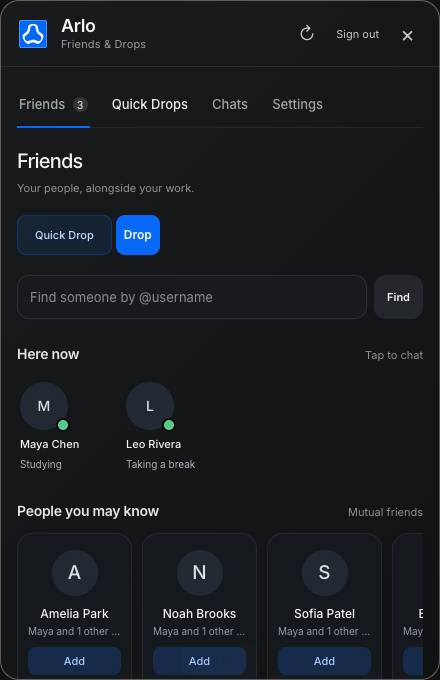
See who’s around while you work. Chat with friends, share files and links, or send a photo or short video as a Quick Drop. Use Friends on your Mac or in a browser—even without the Mac app.
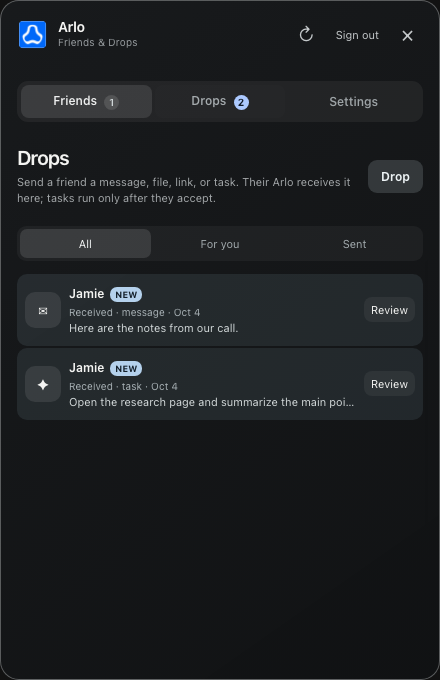
Send a message, link, file, or task directly to a friend. Every Drop has its own conversation. Task Drops require a verified Arlo agent on their Mac and run only after they choose Accept & run.
Start with one useful computer task. Friends and Drops are there when you want to share something; they do not need to slow down your first use.
Arlo can help with your Mac before you set up a social profile. You stay in control of permissions and every task.
The agent handles computer work. Friends and Drops make it easy to move a useful thing from your computer to someone else's.
Work across apps, files, and websites with the Mac command bar.
Keep friends and shared items near the work you're doing.
The essentials before you make Arlo part of your computer.
Arlo can open apps, find files, use the keyboard and mouse, read accessible disablepictureinpicture, and use screenshots when on-screen text is harder to reach.
Yes. The Mac agent works with supported installed browsers, so it can use your existing tabs and signed-in sessions when you allow it.
A Drop sends a message, link, file, or task to an Arlo friend. You can talk about the item in its own Drop chat.
No task runs just because it arrived. You must accept a task Drop on your Mac before your Arlo begins it. The agent still pauses for sign-in and other choices that need you.
Yes. Sign in to the social dashboard to manage friends and Drops in your browser. Running a task Drop requires the Mac app.